
Import your schedule.
See your trip instantly.
TripDataHub turns your UPS trips into a clear timeline — layovers, rest, connections, and report times — in local or UTC, then lets you share it with trusted crew.
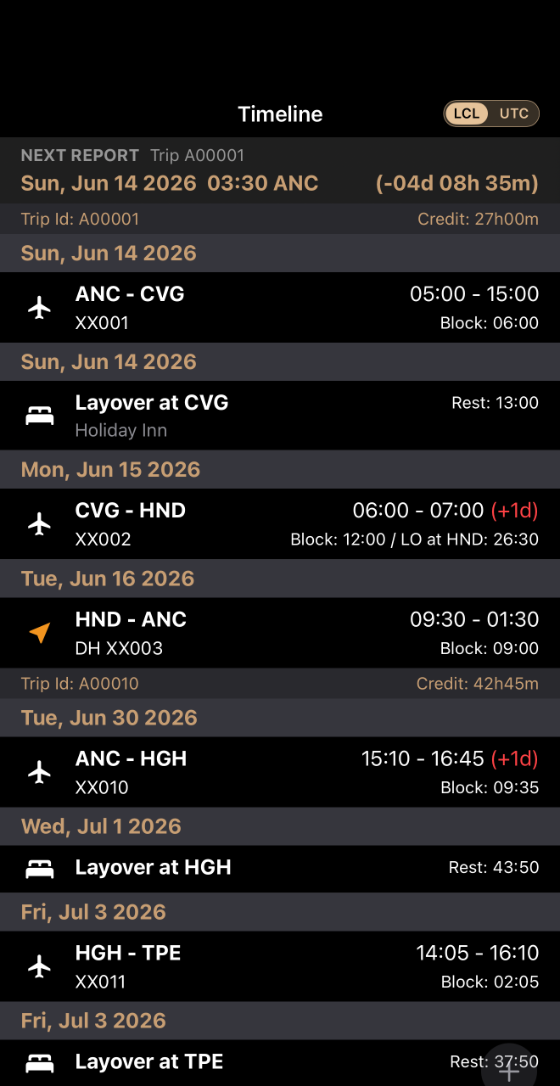
The whole bid period, at a glance.
Timeline and bid calendar, side by side — trips stretch across the month while your timeline keeps every detail one glance away. In local or UTC.
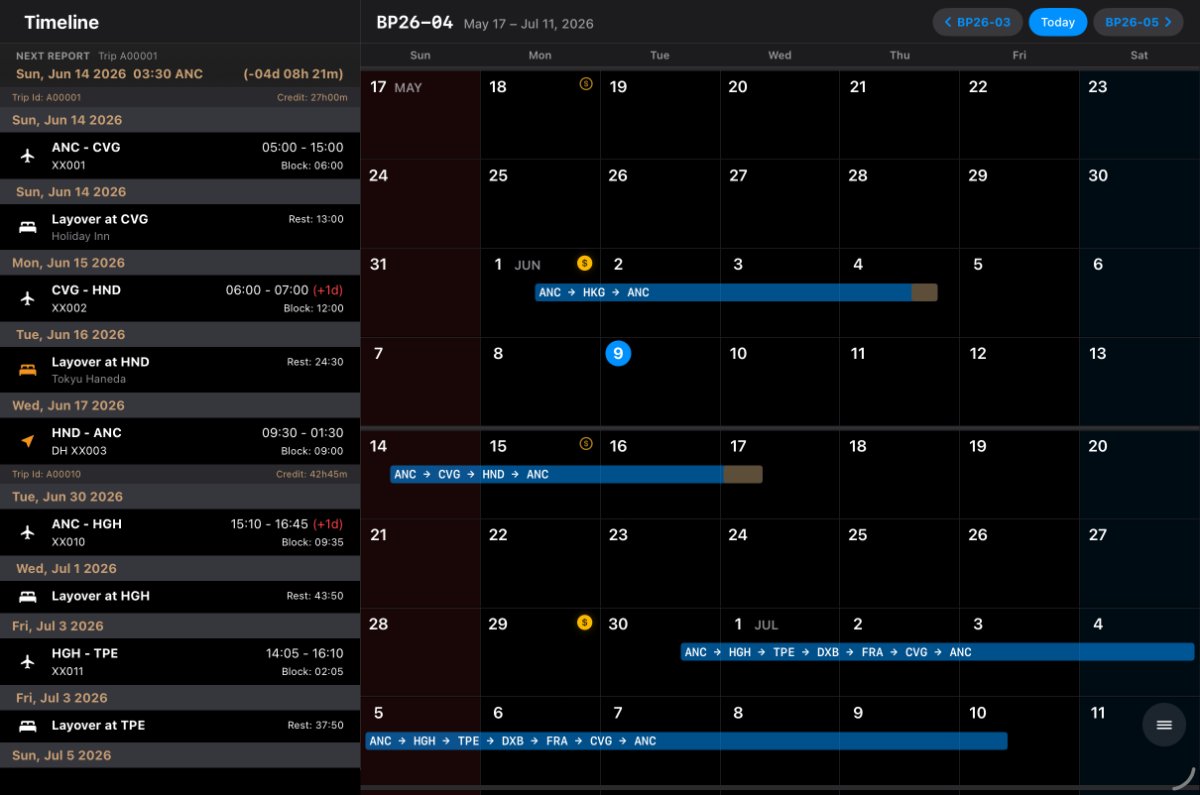
Built for UPS pilots operating across time zones.
Timeline-first schedule management for UPS pilots operating across multiple time zones — every detail of a trip organized, so you spend less time decoding your schedule and more time off the clock.
Import in seconds
Pull trips straight from your UPS schedule and TripDataHub builds the full timeline automatically.
Local & UTC, instantly
Flip the whole timeline between local time and UTC with one tap — no mental math across time zones.
Share with your crew
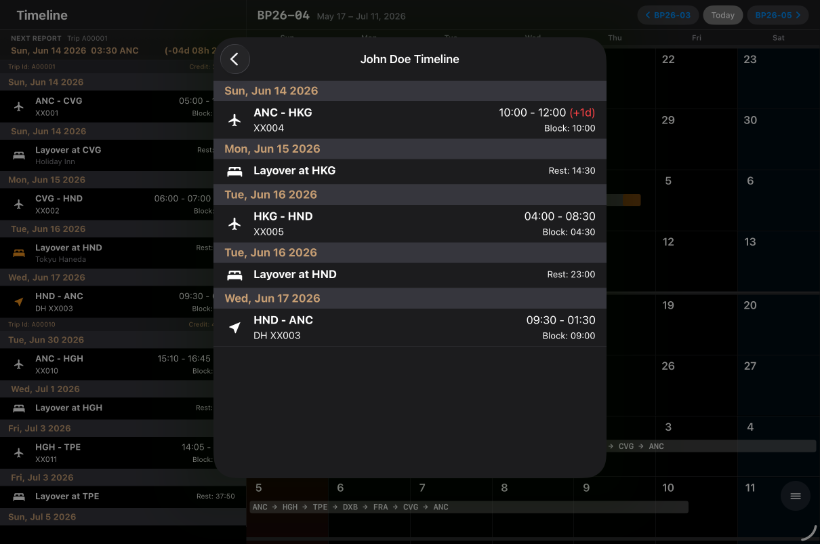
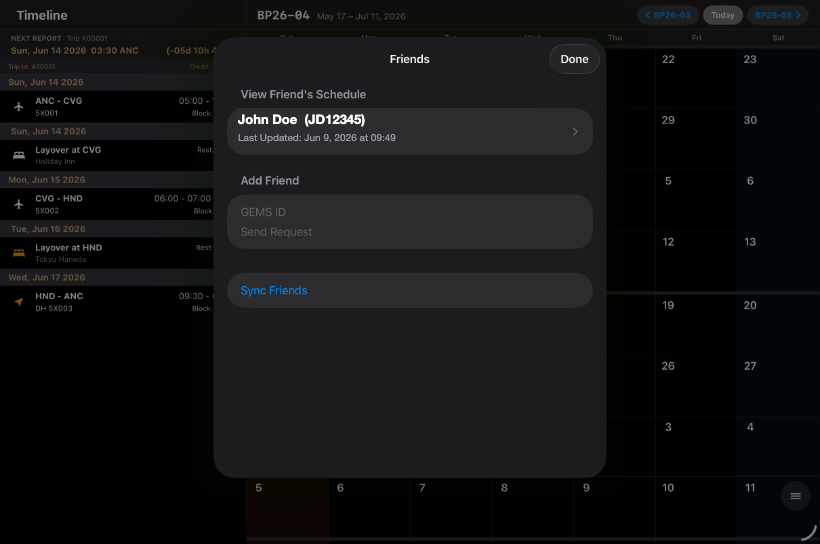
Connect with friends and see each other's timelines. When someone shares your layover, the bed icon turns amber — so overlaps jump right out.
Layover & rest at a glance
Hotels, rest periods, connections, and block times are laid out clearly between every flight.
Stay readiness-ready
Track FAA medical, passport, and visa expiry dates so nothing important sneaks up on you.
Report-time alerts
Countdown to your next report with notifications at 48, 24, and 12 hours — on your schedule.
Fly together, even when you're not on the same trip.
See where your friends are flying, where they're laying over, and when your schedules overlap. TripDataHub lets trusted crew members connect and share schedules.
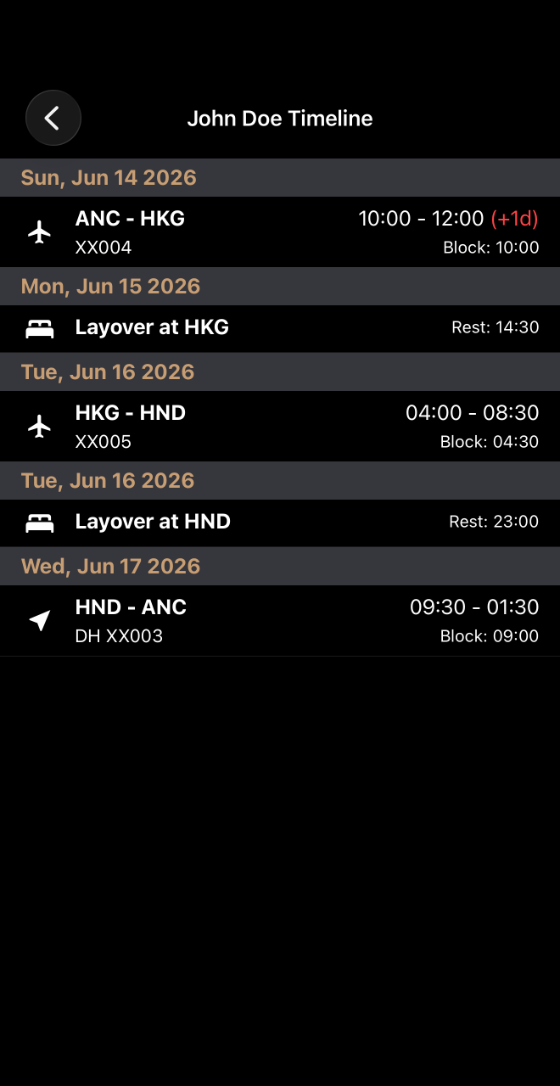
Clear, fast, and made for UPS pilots.
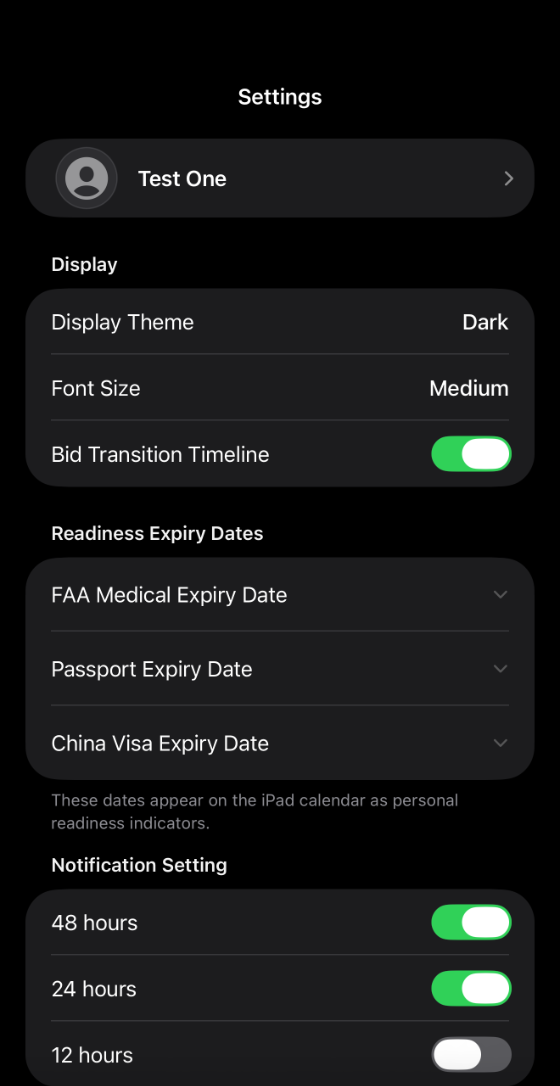
More room to work.
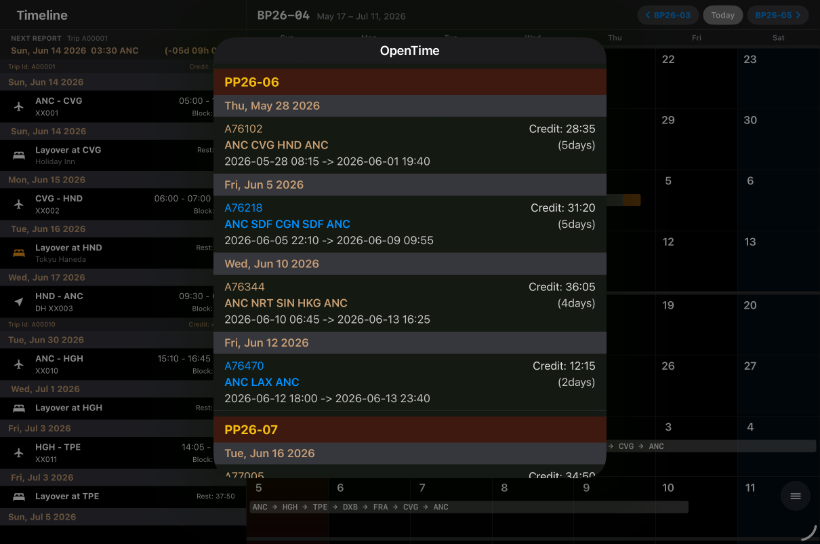
On the bigger screen, friend schedules open beside your own — and an optional OpenTime viewer is there when you want it.
Part of the FNN Dev
software ecosystem.
TripDataHub is one of several practical tools from FNN Dev — an independent studio building software for time, schedules, and operations.
Back to FNN Dev